Support
Getting it
Jan's Recipe Box is with Apple for review now. When it's approved, search the App Store for Jan's Recipe Box (iPhone, iPad and Mac). The Chrome extension adds a button to Chrome that saves the recipe on the page you're looking at.
Where are my recipes?
In a folder called Recipe Box in your own Google Drive. The app also keeps a copy on your device so your recipes and photos work offline.
A recipe didn't clip properly
Some sites lay recipes out in unusual ways. Email us the page address and we'll take a look.
Saving a YouTube recipe
On the YouTube video's page, click the Recipe Box button, then open the recipe in the app. If the app asks you to check the amounts, look them over before you save.
Adding a recipe from a photo
Choose Add a Recipe, then From a Photo. Take a picture or pick one, then check the amounts before you save.
I don't see my recipes on my iPad
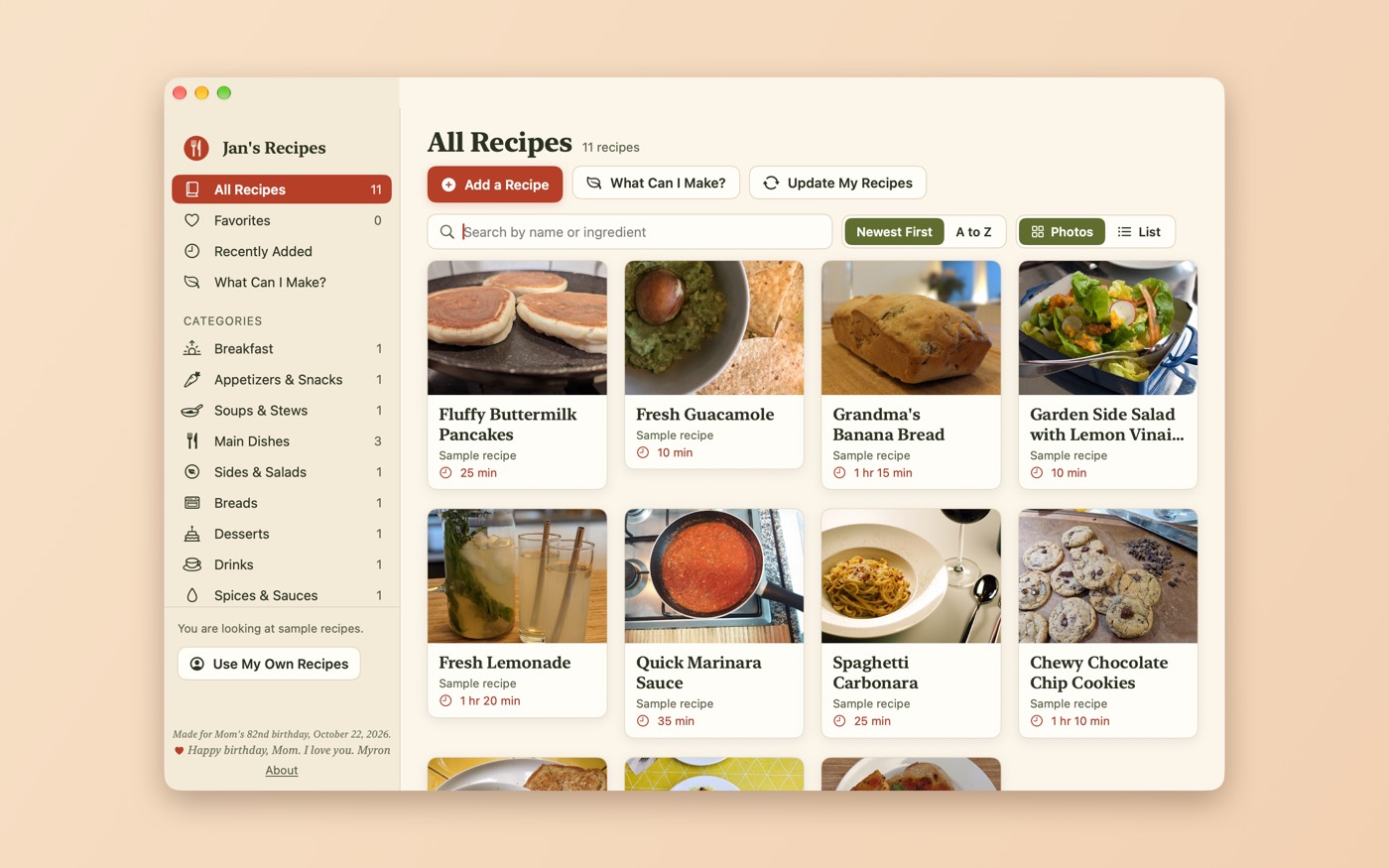
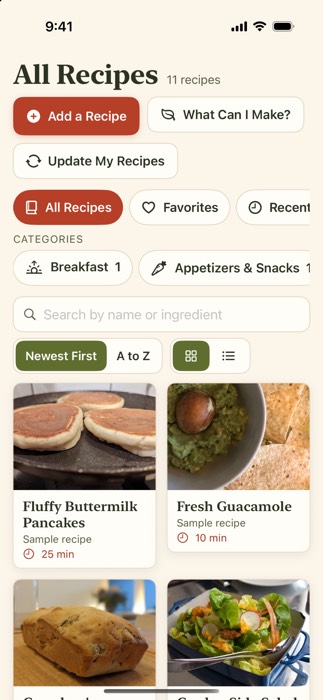
Sign in with the same Google account you use on your other devices, then tap Update My Recipes.
Moving to a new device
Install the app and sign in with the same Google account. Your recipes come back from your Drive.
Contact
Email [email protected]. A real person reads it.
Privacy policy
Last updated: 2026-10-22 (photos, Apple Intelligence, sample recipes, My Websites and the extension's Google Doc copy added)
This policy covers the Jan's Recipe Box app for iPhone, iPad and Mac and the Jan's Recipe Box Chrome extension, both made by Peak Summit Labs.
Short version: your recipes are stored in your own Google Drive and on your own devices. Peak Summit Labs runs no server for this app and never receives, stores or sees your recipes or your personal data.
Signing in with Google
You sign in with your Google account through Google's own sign-in. We never see your password.
What Google data the app accesses
- Google Drive, limited to files the app creates (the
drive.file scope). The app can see and change only the recipe files and photos it saves to your Recipe Box folder. It cannot see any other file in your Drive.
- Your basic Google profile (name and email address), which the app's Google sign-in provides. It stays on your device and is used only to show which account is signed in and to keep two accounts' recipes apart. The Chrome extension asks only for the Drive permission.
How that data is used
The app uses this access only to save your recipes, photos, recipe Docs and My Websites list to your Drive, and to load them back so you can view, search and cook from them on your devices. Nothing else.
Sharing and transfer
Your Google data is not shared with, transferred to, or sold to anyone. It is not used for advertising, and no person at Peak Summit Labs reads it. A recipe card leaves the app only when you choose to share it, through your device's share sheet, to the person or app you pick.
Jan's Recipe Box's use and transfer of information received from Google APIs adheres to the Google API Services User Data Policy, including the Limited Use requirements.
The Chrome extension
The extension reads the web page you are on only when you click its button, to pick out the recipe. It sends that recipe to your own Google Drive and nowhere else. It does not watch your browsing. On a YouTube cooking video, it also reads that video's page and captions from YouTube itself, to find the recipe. It keeps a short list of the page addresses you've saved, in Chrome's own storage on your computer, so it can tell you when you've saved a recipe before.
By default, the extension also saves a Google Doc copy of each recipe in your Recipe Box folder, so you can print or share it outside the app. You can turn this off in the extension's Settings. "Open in Jan's Recipes" passes the saved recipe's ID to the app on the same computer, and nothing else.
Photos and the camera
"From a Photo" reads the recipe in your picture on your device, using Apple's on-device text recognition. The first photo is saved to your own Google Drive (Recipe Box/Photos) as the recipe's picture. The app uses the camera only when you tap "Take a Photo Now". When you choose an existing photo, Apple's photo picker shares only the photo you pick.
Apple Intelligence
On devices that have Apple Intelligence, recipe text from a photo or from a YouTube video's captions is processed by Apple's on-device model. It stays on your device. Nothing is sent to us or to any third-party AI service.
Sample recipes and My Websites
The first time you sign in with an empty box, the app adds sample recipes and their photos to your own Drive (Recipe Box/Photos). You can delete them anytime. The sample photos come from Wikimedia Commons under their licenses, and are credited in the app's About screen. Your My Websites list is saved as a file in your Recipe Box folder in your own Drive.
Recipe websites
When you add a recipe by its web address, the app fetches that page to read the recipe, and it downloads the recipe's photos from the original website. Those websites see an ordinary request from your device, just as they would if you visited them in a browser. Nothing else is sent to them.
Data on your device
The app keeps a local copy of your recipes and photos on your device so they work without a connection. It writes diagnostic messages to your device's own system log; these never include your sign-in tokens and are never uploaded. There are no analytics, no tracking and no ads.
Children
The app is not directed to children under 13.
Deleting your data and revoking access
- Data on a device: delete the app from that device. To remove the extension, remove it from Chrome.
- A single recipe: delete it in the app. Its file moves to your Google Drive Trash.
- Data in your Drive: delete the Recipe Box folder from your Google Drive.
- Google access: remove the app at myaccount.google.com/permissions.
Changes to this policy
If this policy changes, the new version will be posted at this address with a new date.
Contact
Questions: [email protected] · Peak Summit Labs